Signing Up with Google or Microsoft
Sign up with your existing Google or Microsoft account instead of creating a new password — a fast, passwordless path straight to Company Details. - choosing-how-to-sign-up - signing-up-with-email - signing-up-with-shopify
What It Is
Sign up using your existing Google or Microsoft account instead of creating a new password. There's no separate password step — your provider account is your login. Google and Microsoft behave identically from here on, so this one article covers both.
How It Works
On the Sign Up page, choose "Continue with Google" or "Continue with Microsoft".
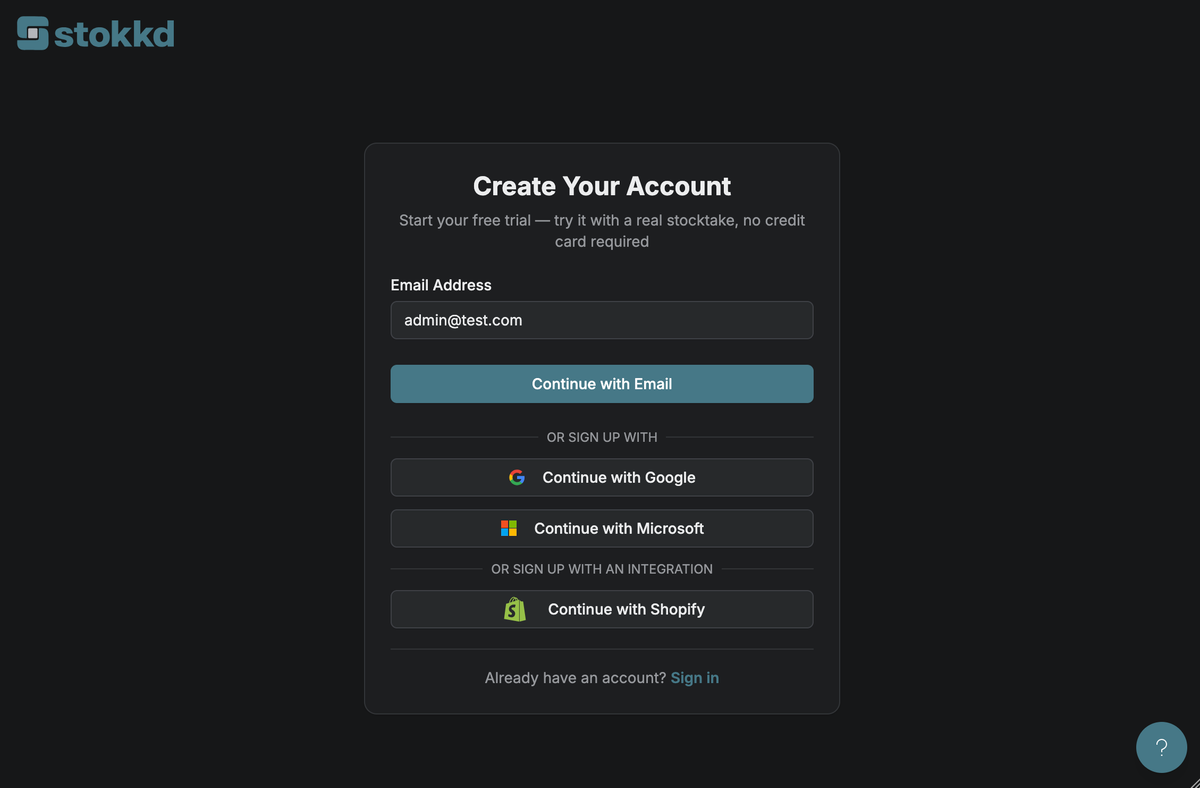
Sign in and approve access on the provider's own screen.
You're redirected back to Stokkd, already signed in — no password to set.
You land on Company Details (onboarding step 2) — your name and email are already filled in from your provider account.
The provider's sign-in and consent screens are third-party UI outside Stokkd's control, so they're not shown here — step 2 above is what you can expect to see on Google's or Microsoft's own site.
Key Settings
- Google account verification: Google requires your email to already be verified with Google. If it isn't, you'll be directed to try a different signup method.
- Already registered? if the email from your Google or Microsoft account is already registered with Stokkd, you'll be directed to sign in instead.
Best Practices
- Use this option if your team already signs in to other business tools with the same Google or Microsoft account — it's the fastest way to get to onboarding, with no password to create or remember.