Zone Cards
Printable, pre-formatted cards you can use to physically label the counting areas (zones) in your store or warehouse. Download sample PDF templates from this article and print them for your next stocktake.
Overview
A zone card (also called an area card) is a printable card that physically marks a counting area — attached to a shelf edge, gondola end, cool room door, or any other clear spot — so that staff can see at a glance which zone they are currently standing in. Zone cards make it faster and less error-prone to divide up counting work across a team during a stocktake, because everyone can see exactly where one zone ends and the next begins.
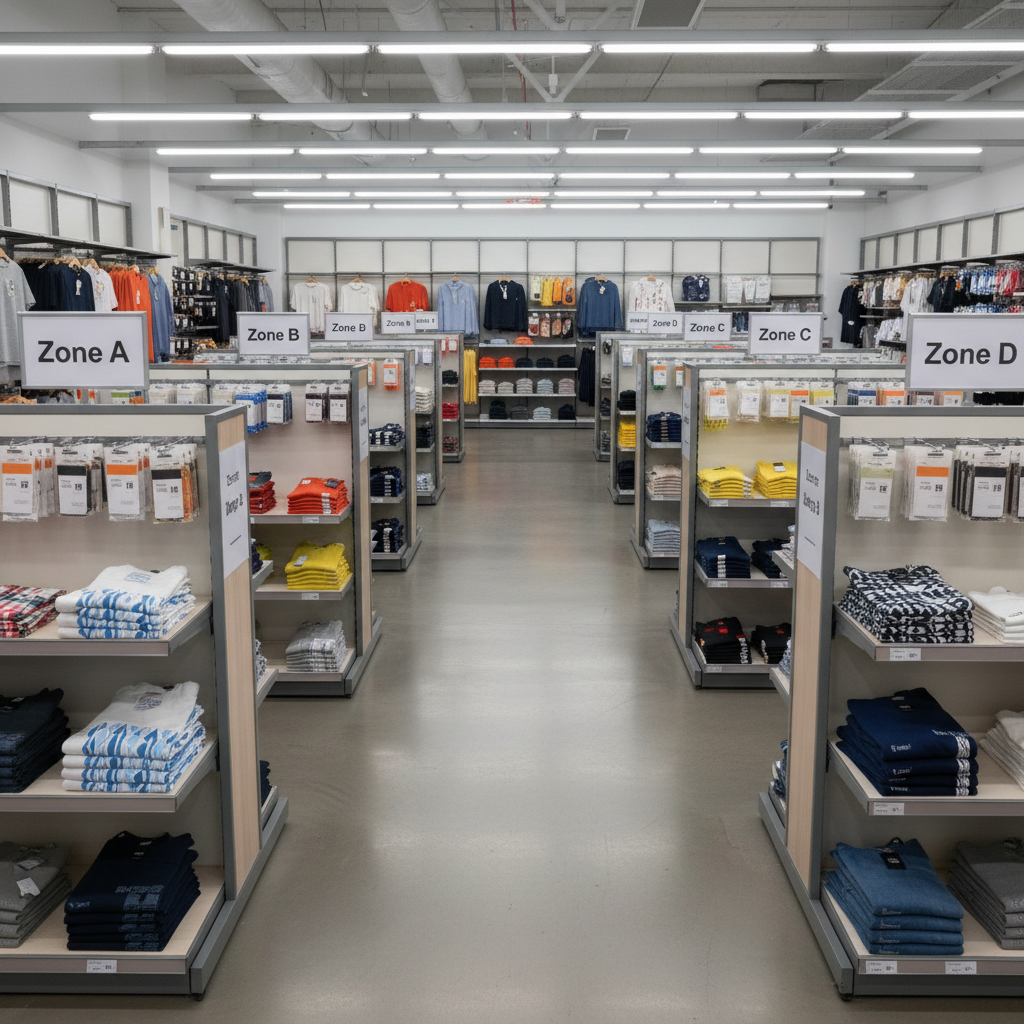 For background on how areas work inside a stocktake — claiming, locking, and counting them — see the Areas article in Key Concepts.
Why Use Zone Cards
- Clarity for your team: staff can immediately see which area they're assigned to without checking the app
- Fewer missed or double-counted sections: clear physical boundaries reduce the chance of two people counting the same shelf, or a section being skipped entirely
- Faster onboarding for casual or temporary staff: anyone can follow a labelled zone without needing to learn the app's area list first
Printing Your Own Zone Cards
Zone cards are simple to produce — print, fold or laminate if needed, and attach at eye level near the start of each physical area. Keep the wording on each card short (just the zone name/number) so it is readable from a distance.
Downloads
Sample zone card PDF templates are available to download below. Print them on standard paper and attach them around your store or warehouse ahead of your next stocktake. They include a barcode so you can stay in scan mode on your counting devices.